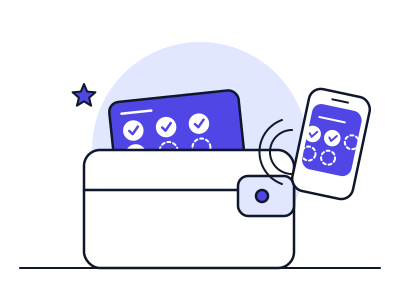
What an Apple Wallet loyalty card is, how a customer gets one, what it can do once it is there, and the practical limits to plan around before you launch.
An Apple Wallet loyalty card is a 'store card' pass: customers add it from a web link, email or QR code with no app download.
Passes update through Apple's push service, and can show lock-screen messages if the customer allows notifications.
Wallet is iPhone and Apple Watch only, so plan a Google Wallet pass for Android customers.
Passes have a fixed layout - simple by design, but not a replacement for a full app.
What Is an Apple Wallet Loyalty Card?
An Apple Wallet loyalty card is a digital pass stored in the Wallet app on an iPhone (and shown on a paired Apple Watch). To the customer it looks like a branded card with your logo, colours, their stamp or points balance and a barcode or QR code. To Apple it is a pass of the type Apple calls a store card - the category it describes as covering loyalty cards, discount cards, points cards and gift cards.
The customer does not install anything from the App Store. They tap an 'Add to Apple Wallet' button on a web page, in an email or after scanning a QR code, review the card and tap Add. Apple documents that passes can be distributed by web, email or app, and that a customer can add a pass without having your app installed.
That is the core appeal for a small business: the card sits alongside a customer's bank cards and tickets, so it is in reach at the till without them remembering to open a separate app.
How Apple Wallet Passes Work Behind the Scenes
A pass is a small signed bundle of files: a description of the card (fields, colours, barcode), images such as your logo, and a digital signature. The signature comes from a certificate tied to an Apple Developer account, which proves the pass really comes from the issuer. Loyalty platforms, including Ruloyal, handle the certificates and pass generation for you, so you do not need to manage any of this yourself.
Passes can be updated after they are issued. The pass includes the address of a web service; when the balance changes, the platform tells Apple, Apple sends a silent push to the customer's device and the device fetches the new version. That is how a stamp appears on the card moments after your team issues it.
The pass can also carry a change message. When a field such as the stamp count changes, Wallet can show a lock-screen notification like 'You now have 7 of 10 stamps', provided the customer has left notifications for that pass switched on.
Pass type: store card for loyalty and stamp programmes
Distribution: web link, email, QR code or from an app
Signing: certificate from an Apple Developer account, managed by your loyalty platform
Updates: pushed to the device through Apple's notification service
Barcode formats: QR, Aztec, PDF417 and Code 128 are supported for scanning
How a Customer Adds and Uses the Card
A typical journey in a café or salon takes under a minute:
Step one is discovery: a QR code on the counter, receipt, table card or booking confirmation. Step two is the tap: the customer scans with the iPhone camera, lands on a short page and taps Add to Apple Wallet. Step three is use: at the next visit the customer opens Wallet (or double-clicks the side button if the pass is set to appear) and your team scans the pass or issues a stamp from a tablet.
Because the card lives in the same place as Apple Pay, customers already have the habit of opening Wallet at the till. In practice, clear counter signage and a short line from staff - 'want your loyalty card in your phone?' - tend to matter more to sign-up rates than any design choice. Our guide to setting up a QR code loyalty programme covers placement in detail.
What You Can Do With an Apple Wallet Pass
Wallet passes are deliberately simple. That is a strength for stamp cards, but it shapes what you can build.
Show progress. Fields on the pass can show the current stamp count, points balance or reward status, and an image strip can visualise progress towards a reward.
Update in real time. Balances, offers and messages can be changed after issue without the customer doing anything.
Appear when relevant. A pass can include locations and a relevant date so that it surfaces on the lock screen when the customer is near your shop or an event is due. Use this sparingly: it works because it is rare.
Send lock-screen messages. Change messages and the notifications your platform triggers can prompt a visit, such as a birthday reward or a nudge when a customer is one stamp from a free coffee. See our push notification strategy guide for what works and how often to send.
Limits and Trade-Offs to Plan Around
Apple Wallet is an iPhone feature, so it does not cover Android customers. Most wallet-based loyalty platforms therefore issue a Google Wallet pass as well; see our guide to Google Wallet loyalty cards.
The customer stays in control. They can turn off notifications for a pass, remove the pass, or ignore the prompt entirely. Your programme has to earn its place through rewards worth having rather than through notifications.
You also have less design freedom than in a custom app. Passes have a fixed layout with a limited number of fields and image areas, which keeps them fast and consistent but rules out things like in-pass ordering or complex profiles. If you need those, read digital loyalty card vs loyalty app.
iPhone and Apple Watch only - plan an Android route too
Fixed pass layout - simple by design
Customers control notifications and can delete the pass
Is an Apple Wallet Loyalty Card Right for Your Business?
A wallet card is a strong fit when customers visit regularly, pay at a counter or till, and you want the lowest possible barrier to joining: cafés, salons, barbers, bakeries, car washes and independent retailers. It is a weaker fit when you need a full ordering or booking experience inside the loyalty product itself.
Apple Wallet Loyalty Cards - Frequently Asked Questions
Do customers need to download an app to use an Apple Wallet loyalty card?
No. Wallet is built into iPhone. Apple documents that a pass can be added from the web, email or an app without the customer having your app installed.
Can I update an Apple Wallet loyalty card after it is issued?
Yes. The pass can point to a web service that Apple's push system notifies when something changes, so stamp counts, balances and messages can update without the customer re-adding the card.
Do Apple Wallet passes work on Android phones?
No. Apple Wallet is an iPhone and Apple Watch feature. Android customers need a Google Wallet pass, which most loyalty platforms create at the same time.
Can I send notifications to Apple Wallet loyalty cards?
Passes can show lock-screen messages when a field changes, as long as the customer has notifications enabled for that pass. Because customers can switch them off, use notifications for genuinely useful moments such as a reward being ready.
What barcodes can an Apple Wallet loyalty card use?
Apple Wallet passes can carry QR, Aztec, PDF417 and Code 128 barcodes, so staff can scan them with a tablet, phone or standard barcode scanner.
Written by Kate (Founder, Ruloyal) and George.
Last reviewed 13 May 2026. Read how we research and review our guides in our
editorial standards.