How a Google Wallet loyalty card is built, issued and updated, what your Android customers experience, and what to check before you launch a wallet-based programme.
A Google Wallet loyalty card is built from a class (the programme template) and an object (one customer's card).
Passes can be issued through web pages, email, SMS and Android apps; the business or platform needs a Google Wallet issuer account.
Most UK businesses need both Google Wallet and Apple Wallet, created from one card design.
What Is a Google Wallet Loyalty Card?
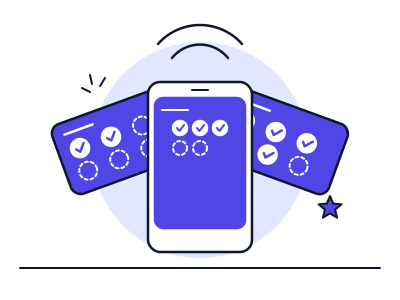
A Google Wallet loyalty card is a digital pass saved in the Google Wallet app on an Android phone. It shows your brand, the customer's stamp or points balance and a barcode or QR code that your team can scan. Customers open it from the same place they keep payment cards and tickets, so they do not need to install a separate loyalty app.
Google provides an official loyalty-card API so businesses, or the platforms they use, can create and manage these passes. Google documents that passes can be issued through web pages, email, SMS and Android apps, which means you can offer the card from a QR code at the till, a link in a receipt email or a text message.
How Google Wallet Loyalty Cards Are Built
Google's loyalty API separates two ideas. A loyalty class is the template for your programme: your programme name, logo, colours, hero image and the rules that apply to every card. A loyalty object is one customer's card: their name or member ID, current points or stamp balance and barcode.
To issue a card, the platform creates the class once and then an object for each customer, and gives the customer a link or button labelled 'Add to Google Wallet'. Before a business can create passes, it must be registered with Google as an issuer; a loyalty platform normally does this for you.
Once a card is saved, the platform can change the customer's object through Google's API - for example to increase the stamp count when a stamp is issued - and the updated card appears in the customer's Wallet.
Class: the programme template - branding and shared settings
Object: an individual customer's card and balance
Issuer account: the registration a business or platform needs before creating passes
Save link: the 'Add to Google Wallet' button or URL a customer taps
Issuing channels: web, email, SMS and Android apps
What Your Customers Experience
Step one is joining: the customer scans your QR code, taps Add to Google Wallet and the card is saved. Step two is using it: at the next visit they open Google Wallet, find your card and your team scans it or issues a stamp. Step three is the reward: when the card is complete, the pass shows the reward is ready and staff redeem it.
As with Apple, the aim is speed. Anything that adds steps at the counter will reduce how often staff offer the card, so test the whole journey on a real Android phone in your own venue before you launch. Our guide to setting up a QR code loyalty programme covers placement and staff scripts.
Updates, Messages and Notifications
Because the card is a live object, you can keep it current: change the stamp count, update the reward description and add messages that appear on the pass. Messages can prompt a return visit - a birthday reward or a nudge when a customer is close to a free item.
Google applies its own rules on how often messages can trigger notifications, and customers can turn notifications off. Plan your messaging around moments that are useful to the customer rather than a fixed weekly blast, and make sure your marketing follows UK rules on consent - see our guide to UK GDPR and PECR for loyalty programmes.
The two wallets solve the same problem in different ways, and most UK businesses need both because their customers use a mix of iPhone and Android.
Area
Apple Wallet
Google Wallet
Devices
iPhone and Apple Watch
Android phones
How a card is added
Add to Apple Wallet button, link or QR code
Add to Google Wallet button, link or QR code
Card structure
Pass type 'store card' with fixed fields
Loyalty class (template) plus loyalty object (customer card)
Updates
Pushed through Apple's notification service
Changed through Google's API
Issuing channels
Web, email, app
Web, email, SMS, Android app
Setup requirement
Signing certificate from an Apple Developer account
Google Wallet issuer account
Summarised from Apple's and Google's developer documentation. A loyalty platform normally creates both passes from one card design.
Is a Google Wallet Loyalty Card Right for Your Business?
A wallet card suits regular, counter-based businesses where the priority is a low-friction way to join and a reliable way to bring customers back. It is less suitable if you need a heavily customised in-app experience.
Check three things before you commit: that the platform issues both Apple and Google passes from one design, that staff can issue a stamp in a couple of seconds, and that you can see who is close to a reward and who has gone quiet. Our best loyalty apps comparison shows how the main UK options compare, and Ruloyal features lists what is included in each plan.
Google Wallet Loyalty Cards - Frequently Asked Questions
Do customers need an app to use a Google Wallet loyalty card?
Customers use the Google Wallet app that is built into or available for their Android phone. They do not need to install a separate app for your business.
How do customers add a loyalty card to Google Wallet?
They tap an Add to Google Wallet button or link, which can be shown as a QR code at the counter, in an email or in a text message, and confirm that they want to save the card.
Can a business update a Google Wallet loyalty card?
Yes. Through Google's loyalty API, a platform can change a customer's card, for example the stamp balance or reward status, and add messages to the pass.
Do I need a Google Wallet issuer account?
Yes, a business or platform must register as an issuer before creating passes. If you use a loyalty platform, it normally handles the registration for you.
Should I offer both Apple Wallet and Google Wallet?
For most UK businesses, yes. Apple Wallet covers iPhone customers and Google Wallet covers Android customers, and most wallet-based platforms create both from one card design.
What is a multi-wallet loyalty system?
It is a loyalty platform that issues passes to more than one wallet, typically Apple Wallet for iPhone and Google Wallet for Android, from a single card design, so every customer can add your card whichever phone they use.
Written by Kate (Founder, Ruloyal) and George.
Last reviewed 8 June 2026. Read how we research and review our guides in our
editorial standards.